The NDA Mapper is a tool designed to help users navigate the NDA’s database of data structures and data elements. It allows users to explore available data structures and contribute by tagging them with categories, data types, and other useful information.
Please use the following guide to learn how the NDA Mapper operates. This guide will cover the Data Dictionary, Data Structures, and Data Elements tabs.
Data Dictionary
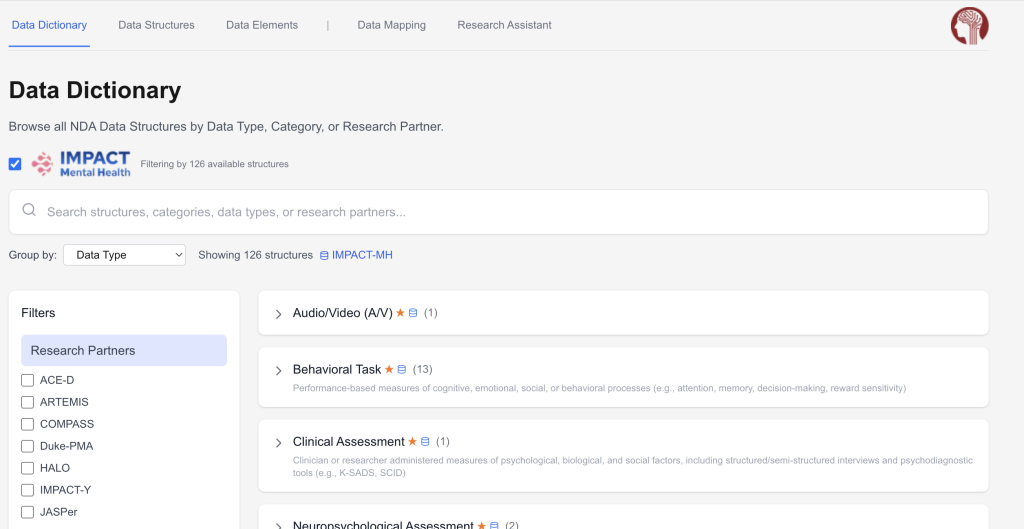
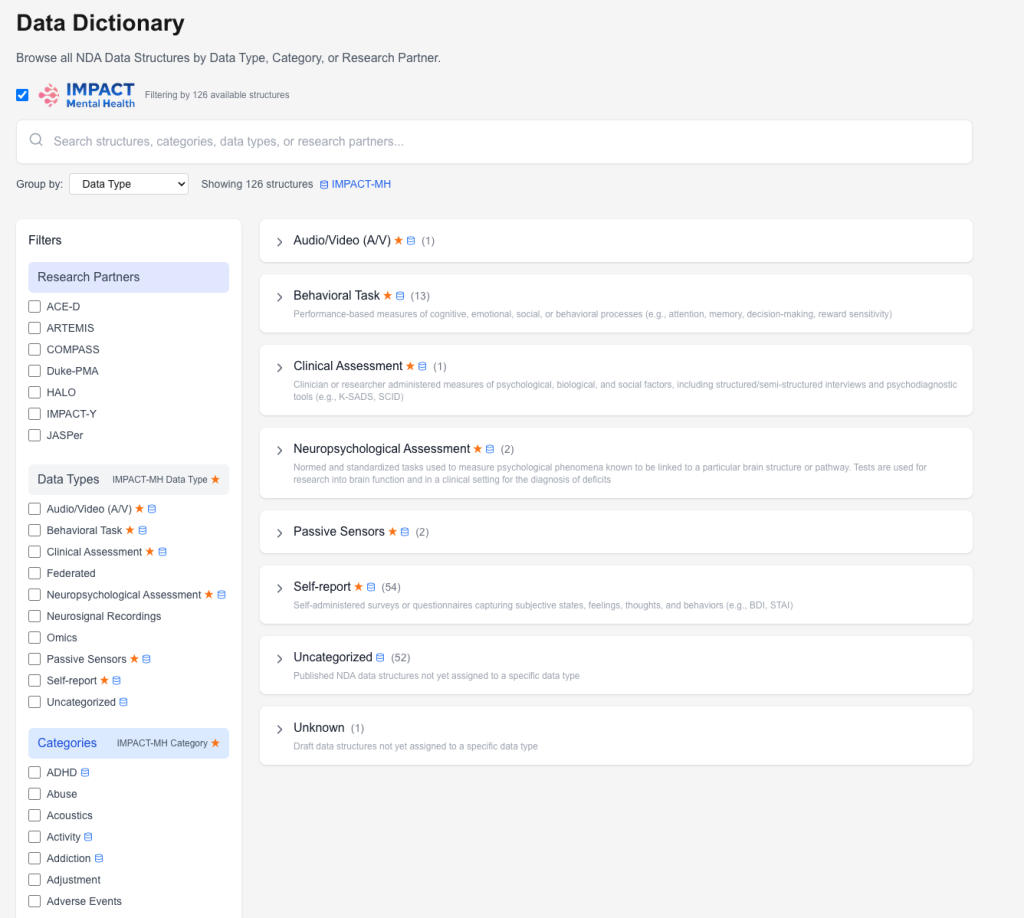
The data dictionary is the first available feature. User’s can explore data structures by category, data type or research partner, and even narrow the results to the IMPACT-MH research sites.
Data structures can be grouped using the Group by: dropdown, and the filter section on the left can be used to narrow the data by one of the three filter types.
Updating Data Structure Tags
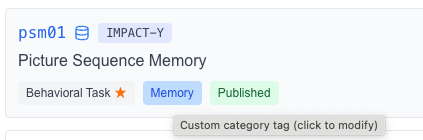
One of the main aspects of the data dictionary is the tagging feature. Each data structure from the NDA comes with a Data Type and Category, both of which can be updated in this tab. Please note, the data type and category updates do not affect the NDA’s database, only what appears on the mapper.
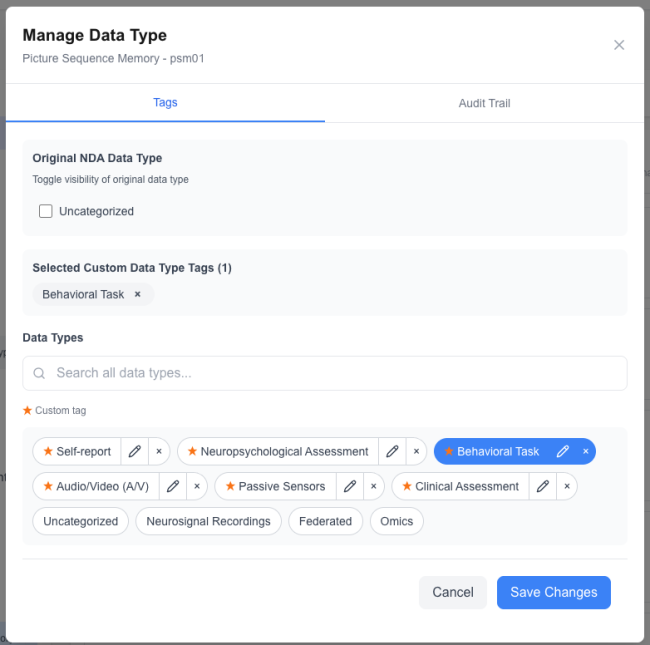
Adding or Updating a Data Type
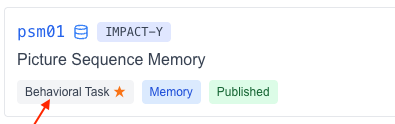
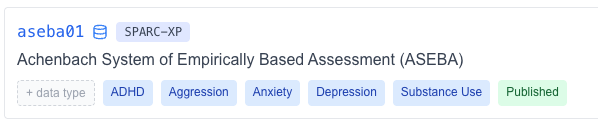
To update, a data type, hover over the data structure of interest and click the greyblock under the data structure name that says the data type (or + data type if none is selected).
Once you click this button, a modal will open up showing the available data types to choose from.
Select the data type you’d like to change to, and then click Save Changes
Note: If you’d like to add a new data type, you can type your data type in the search bar and click + add new.
Adding or Updating a Category
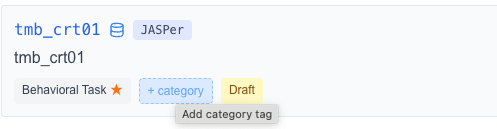
Similarly, to update a category, click any light blueblock that says the categories (or + category if none exist).
Once you click this button, a modal will open up showing the available categories to choose from.
Select the categories you’d like to change to, and then click Save Changes
Note: if you would like to create a new category. You can type your new category in the search bar and hit + add new.
Data Structures
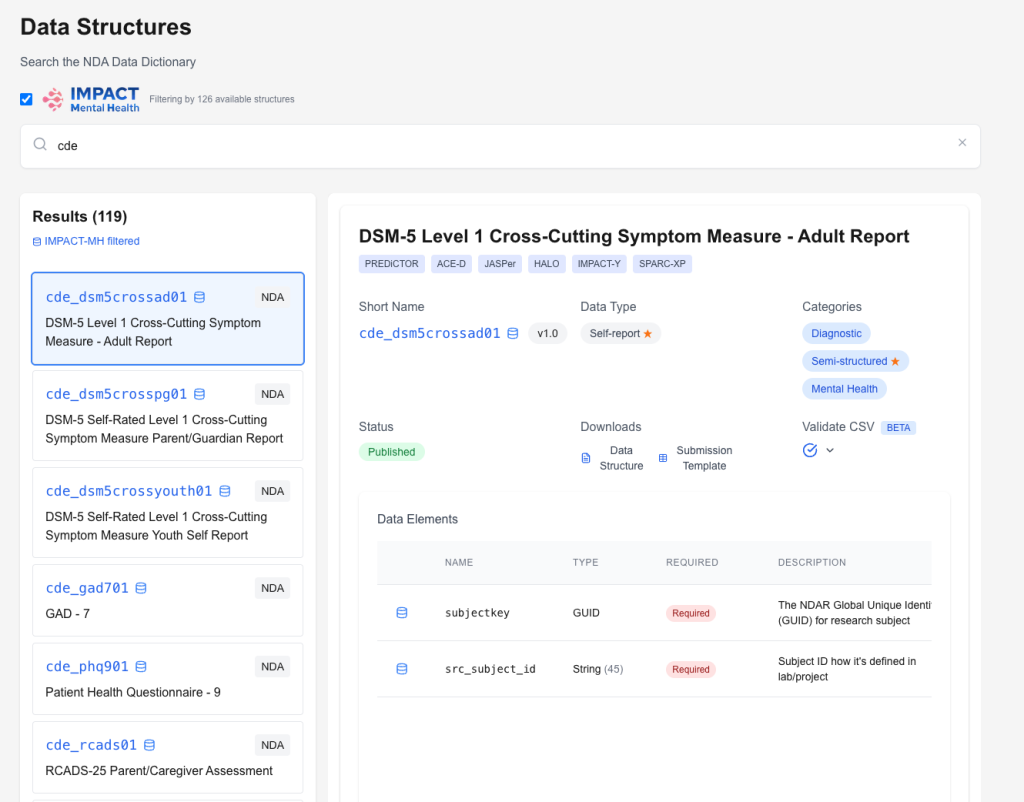
The second available feature is the Data Structures tab. This feature can be used for the following:
Search the NDA’s repository of data structures.
Download data dictionaries and submission templates.
View element information for individual structures.
Results can be filtered to show all NDA data structures, or exclusively IMPACT-MH data structures.
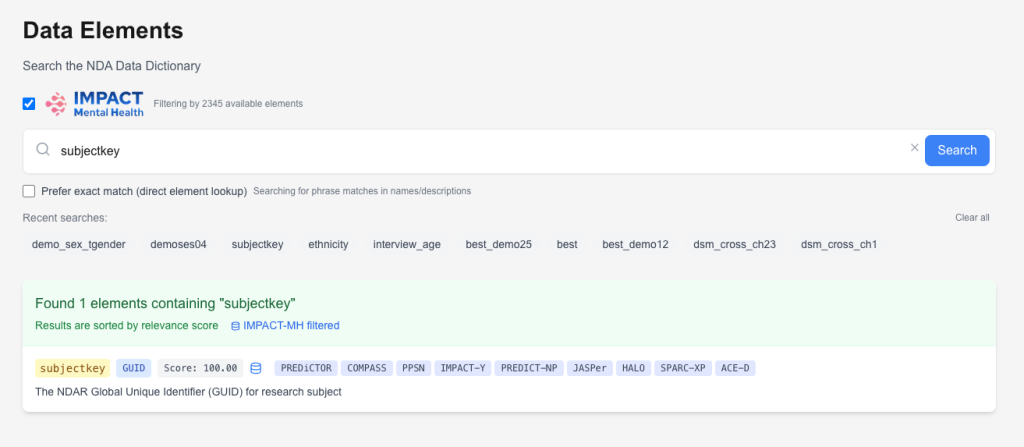
Data Elements
The third available feature is the Data Elements tab. This feature can be used for the following:
Search the NDA’s repository of data elements.
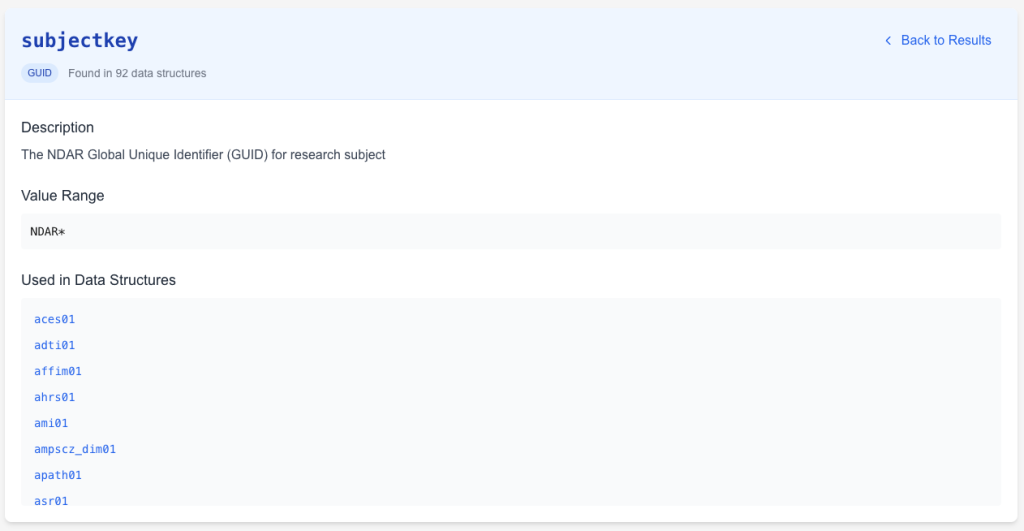
Find shared elements between structures.
View element-specific information.
After searching and finding an element of interest, click the element to show more information for your selection.